Zoome Login and Sign Up for Players from New Zealand
We have simplified the Zoome login and registration process to clear any hiccups. Provided you are in New Zealand and are 18 or older, you can sign up and try your luck on over 12,000 casino activities. The registration process takes only 3 minutes and right after you are able to claim up to NZD 1,800 with the Welcome Pack, play real money games and withdraw your winnings. Your information is safe with us. Provide valid information so that we can authenticate your identity as required by our regulatory requirements.
How to Create Casino Account to Perform Zoome Login
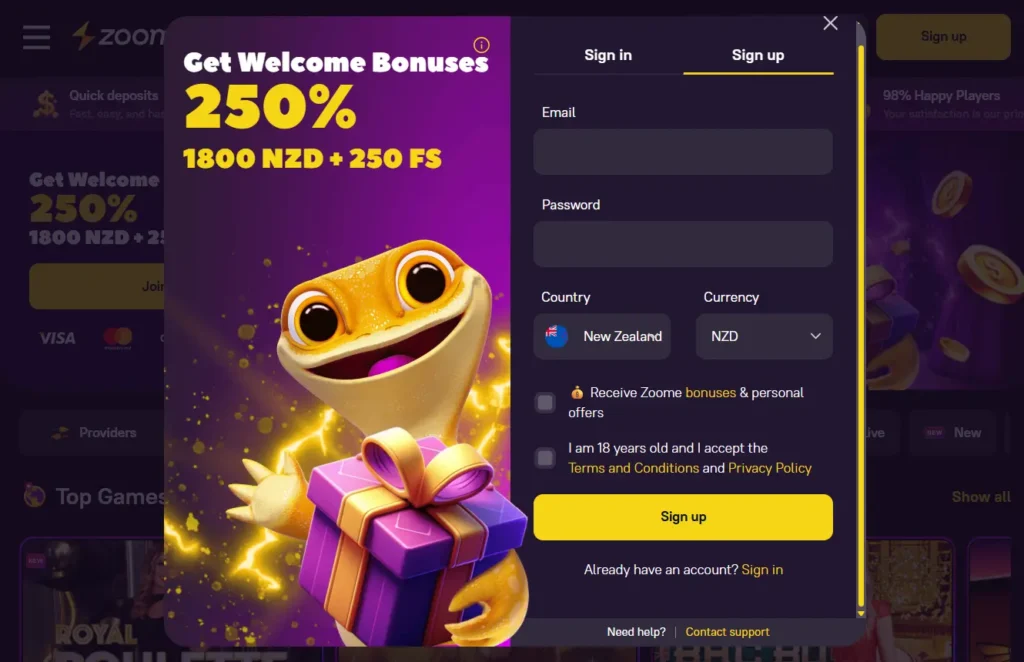
The registration procedure is standard and as follows:
- Open the registration tab next to Zoome Casino login button. The sign up icon is at the top, no matter what device you are on. Click it to open the registration window.
- Start by filling in your email, ensuring to enter the correct spelling. Create your password and choose your country and currency.
- Agree to receive promos and personal bonuses to your inbox. Read the terms and accept them.
- Press the sign-up button to submit your details.
Requirements for Sign Up
You need to fulfil several requirements to successfully sign up on our site. First, you must be over 18. We don’t promote underage gambling. Our team will reach out to verify your documents to confirm that you are over 18 to start the Zoome Online Casino login process.
Users need a valid email. Don’t use your parents, friends’ or siblings’ email. You also need a payment method to deposit and withdraw at the casino. Its details should match your account information.
Casino Account Verification
It is a crucial stage following the registration. As part of complying with Curaçao’s regulations, we must complete the know your customer (KYC) procedure. You must complete it before withdrawing your funds for the first time.
Access the verification instructions on your profile. You will see where you can upload documents such as your scanned ID card after your ZoomeCasino login. It will help us verify your identity. Users also need to upload one of the latest electricity, gas, water or internet bills, which show your address and name. We will compare them to the information on your ID card.
You also need to prove that the payment method you used is registered in your name. You can take a screenshot of the e-wallet dashboard or your bank statement.
Zoome Casino Login Process
You can log in easily once you register an account. You need to fill in your login details in their right fields. Find the sign in button at the top. Click the button to reveal the login tab. And fill in your Casino Zoome login credentials, this includes your email and password. You will be instantly logged in after clicking the login button or the enter button on your keyboard.
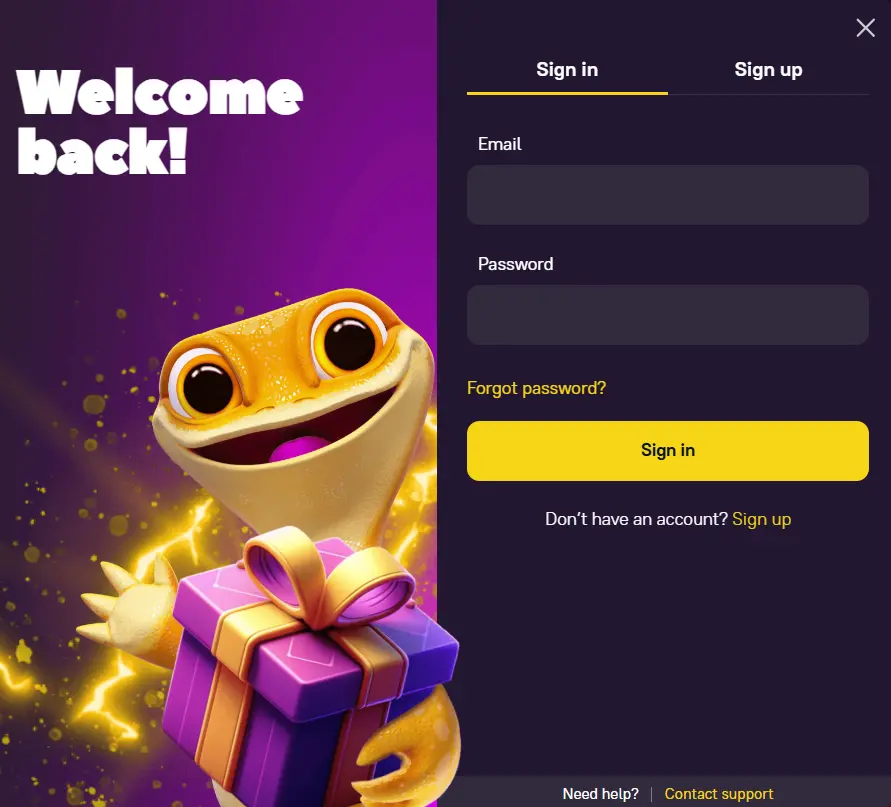
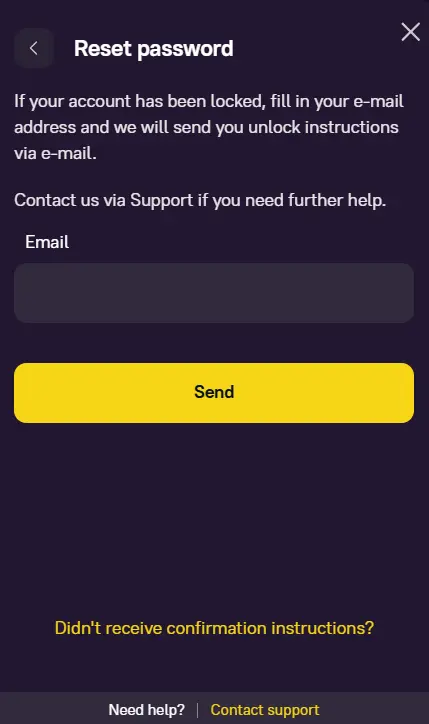
If you are unable to log in, recheck your details. Make sure you are using the same email you entered during registration. You can reset your password if you keep getting a wrong password error. Click the Forgot Password link and enter your email. Open the rest link in your email and try to create a password you can remember, but one no one can crack.
Sign In via Mobile App
Players who turn to their mobiles for entertainment will appreciate our mobile app with Zoome Casino sign in. It is fully functional, allowing users to access all casino entertainment conveniently. Start by downloading the app from your browser menu.
You can open the app while connected to the internet. The sign in button will appear at the top. Use it to enter your account. You can fill in your email and password if you already have an account on our site. Users can then deposit, withdraw and play games once they are logged in.
Personal Details
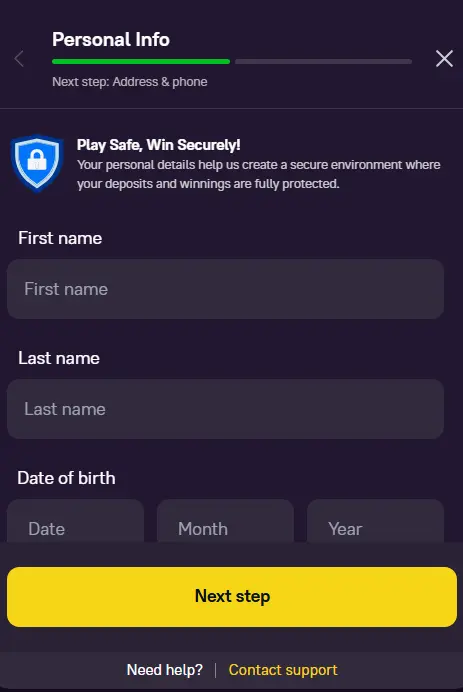
We require limited personal details to create your account and verify your identity. Still, this information is confidential. That is why we have placed protocols to keep your Zoome sign in data safe and your peace of mind in check.
Players can manage their personal details after completing the registration from the account settings section. You can update your profile details by adding your phone number, address and name. Users can also set their deposit limit based on their budget. You can also change your password regularly to keep your account safe.
Possible Zoome Online Casino Login Issues
You might run into some issues preventing you from having fun. The common issue is incorrect credentials. There might be an issue with the spelling of your email or password. The problem might be that your Caps Lock is on, leading to Zoome Online Casino sign in error.
We perform routine system maintenance. The process should not affect you, but it might prevent you from logging in temporarily. You can sign in after a few minutes. Your internet service provider may be experiencing downtime. But you should be able to log in later.
Another possible login issue is a blocked account. We can block your access after detecting fraudulent activities or policy violations. Our customer support team will tell you why your access to your account is limited and what you can do to recover it.
How to Delete Your Account
You can delete your account whenever you feel like you need a break from the constant ZoomeCasino sign in. We won’t frustrate you with a lot of requirements. If you plan to play a few months down the line, you can exclude yourself from accessing the account. Simply set the exclusion period under your account settings. You are just to contact customer support if you are unable to do it yourself.Deleting your account permanently is also easy. Contact the customer representative through the live chat feature or email. The agent will guide you through the process to safely remove your information from our servers. They will also process your remaining balance. Once you delete your account, your Casino Zoome sign in credentials become invalid. You will need to recreate your account if you want to join our site again.